
You're standing at the smog station counter with a fresh Vehicle Inspection Report in your hand. The page is full of abbreviations, check marks, “incomplete” statuses, and one prominent word at the top: PASS or FAIL. If your result says fail, it's easy to assume the car needs an expensive repair, even when the report is pointing to a timing problem after recent battery work.
Learning how to read smog check results starts with reading the page in the right order. Begin with the verdict, then identify the failure category, check readiness, review fault information, and finally look at visual or functional findings. That sequence usually tells you whether you need a mechanic, more normal driving, or no action at all.
Table of Contents
- Why Your Smog Check Printout Matters
- Understanding the Vehicle Inspection Report Layout
- Reading Readiness Monitors on Your OBD Report
- Decoding OBD Trouble Codes and Emission Readings
- Repair Problem or Timing Problem
- Your Next Steps After a Failed Smog Check
- Smog Check Tips and Key Takeaways
Why Your Smog Check Printout Matters
A Vehicle Inspection Report is more useful than the large PASS or FAIL line suggests. California's Bureau of Automotive Repair says the report includes the test results, the overall pass or fail outcome, and any open safety recalls identified through the inspection process. California BAR's Smog Check guidance also shows why this audience needs clearer explanations: about 1.3 million of 19 million 2000+ model-year vehicles tested in calendar years 2024 and 2025 failed Smog Check.
That failure number doesn't mean every driver has a major engine problem. A failed report can reflect an active emissions fault, incomplete computer self-tests, a visual issue, a functional problem, or an emissions reading above the applicable limit. Those categories lead to very different next steps.
Practical rule: Don't diagnose the car from the PASS or FAIL line alone. Find the specific category that produced the result.
Start at the top and confirm that the report belongs to your vehicle. Check the vehicle identification details, including the information used by the station to record the inspection. Then locate the overall result. Treat that line as the answer to “Did the vehicle pass today?” It doesn't necessarily answer “What should I do next?”
The reason usually appears lower on the page. You may see OBD fault information, readiness monitor statuses, visual inspection results, functional checks, or emission measurements. Read those lines as evidence. A report marked FAIL because a monitor is incomplete calls for a different response than one showing an active fault code or a failed emissions component.
That distinction is the foundation of a calm, accurate conversation at the counter. You don't need to understand every abbreviation before you can understand the decision the report is asking you to make.
Understanding the Vehicle Inspection Report Layout
Think of the report as a series of questions about the vehicle. Each block answers one question, and the order matters.
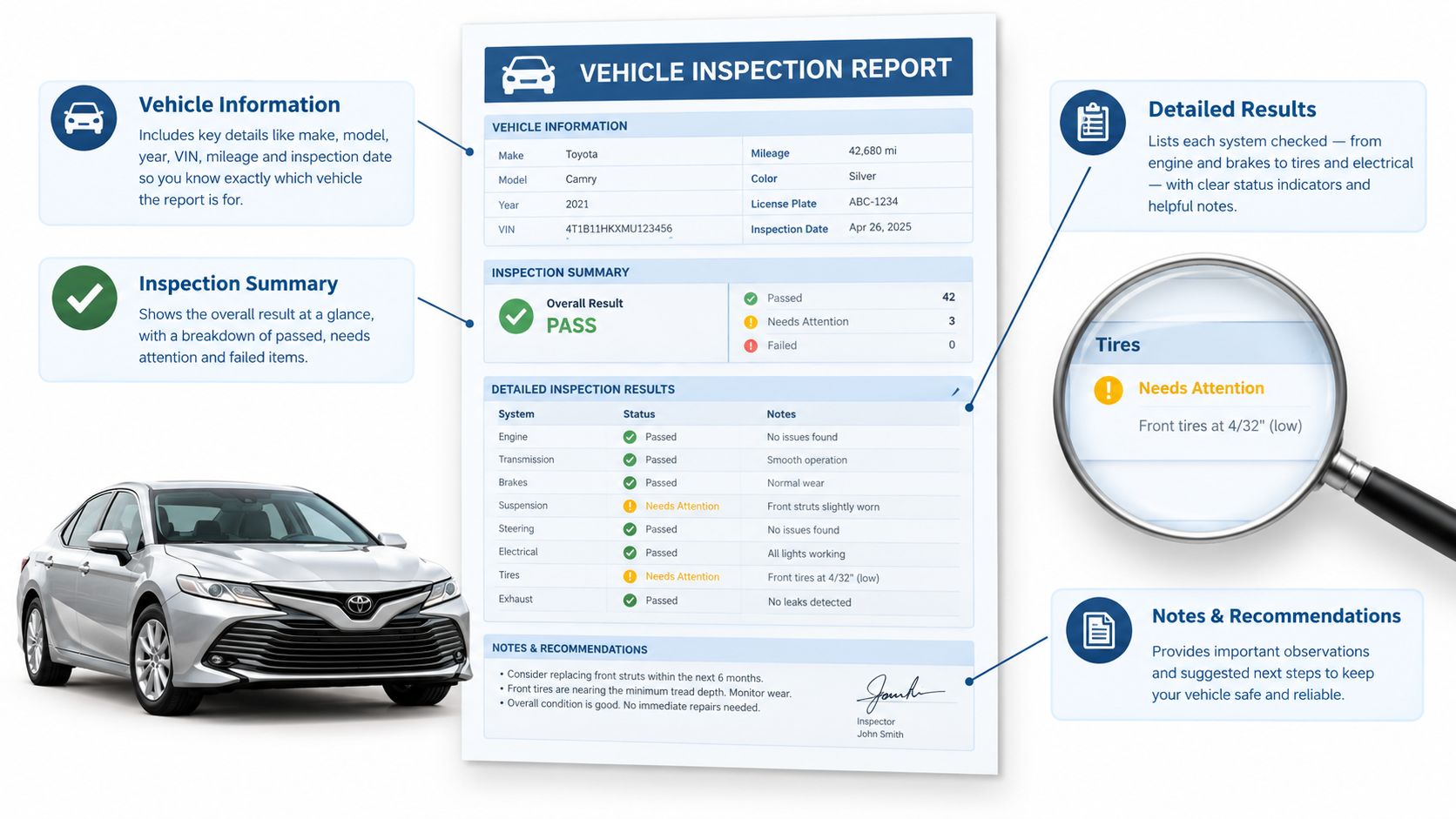
Start with the identity and verdict
The vehicle information block confirms that the station tested the correct car. Check the identifying details before you interpret anything else. Next, find the overall result line. PASS means the vehicle met the requirements recorded by that inspection. FAIL means at least one part of the inspection did not meet the requirements.
The verdict is important, but it's only the first layer. Don't jump from FAIL straight to “replace a part.” Move down the report and find the marked failure category.
Find the reason hierarchy
The report may separate results into several groups:
- OBD fault information: This shows whether the onboard diagnostic system reported emissions-related trouble codes or a malfunction indicator lamp condition.
- Readiness status: This shows whether the vehicle's emissions self-tests have completed.
- Visual inspection: This records whether required emissions equipment appears present and compliant.
- Functional inspection: This checks whether certain emissions-related systems operate as required.
- Emission measurements: On vehicles and tests where measurements apply, this section compares measured pollutants with the applicable limits.
A report can contain more than one concern. For example, it might show incomplete readiness alongside a visual or functional issue. Don't assume the first line you notice is the only reason for failure. Look for the section that is explicitly marked failed, then note whether another section contains a separate issue that also needs attention.
Treat recalls as separate information
Open safety recalls may appear on the report, but a recall notice isn't automatically the same thing as an emissions failure. Keep it in view, then separate it from the result category that caused the smog outcome. This prevents a reader from confusing a safety notice with a failed OBD or emissions test.
The most useful question to ask the technician is specific: “Which report line caused the failure?” Once you know whether the answer is readiness, OBD, visual, functional, or emissions measurement, the rest of the printout becomes much easier to interpret.
Reading Readiness Monitors on Your OBD Report
A readiness monitor is a self-test performed by the vehicle's onboard computer. The computer checks emissions-related systems during different driving conditions, then records whether each test is complete. The monitor doesn't just tell you whether a part exists. It tells you whether the vehicle has completed the conditions needed to evaluate that system.
On the report, look for a readiness section with statuses such as complete, ready, incomplete, or not ready. The exact labels can vary, but the meaning is straightforward. A complete monitor has finished its self-check. An incomplete monitor hasn't finished, so the computer doesn't yet have a completed result for that system.
Why monitors become incomplete
The most common timing clue is recent interruption of the vehicle's computer memory. Clearing a trouble code or disconnecting the battery can reset readiness information. The check-engine light may be off afterward, but the vehicle still needs normal driving conditions to run its self-tests again.
That's why a car can feel completely normal and still fail the inspection. The driver may not notice any change in acceleration, starting, or fuel use, while the computer reports that one or more required checks remain unfinished. The problem is the missing data, not necessarily a failed mechanical component.
California BAR explains that a vehicle fails when too many readiness monitors are incomplete. The agency says owners can often address a readiness-related failure by driving normally for about a week so the monitors can reset, and as of October 1, 2025, California requires all readiness monitors to be set for a pass. California's OBD II readiness guidance makes this screen a first-pass diagnostic step, not a minor footnote.
What to do with the screen
If the report shows incomplete monitors but no active fault information, don't clear the system again. That would restart the same process. Drive the vehicle normally, including the types of city and highway conditions it ordinarily experiences, then have the readiness status checked again.
For a more detailed explanation of the statuses and what they indicate, review this guide to OBD readiness monitors. The key question remains simple: are the monitors incomplete because the car needs time to finish its self-tests, or are they incomplete because an underlying fault keeps preventing completion?
Decoding OBD Trouble Codes and Emission Readings
Once readiness is clear, read the OBD fault information. OBD stands for onboard diagnostics, the vehicle's computer system for monitoring emissions-related operation. A diagnostic trouble code, often called a DTC, is the computer's standardized description of a detected problem.
Codes commonly begin with a letter. P generally identifies a powertrain-related code, which can involve the engine, transmission, or emissions controls. The numbers that follow narrow the system and condition involved. You don't need a complete code encyclopedia at the counter. You need to record the exact code and connect it to the failure category printed on the report.
Common fault clues
California BAR notes that a vehicle with the check-engine light on won't pass, and that modified or non-approved software can also cause failure. The 2026 California Smog Check Performance Report identifies several familiar sources of OBD emissions failures, including loose gas caps, oxygen-sensor faults, and evaporative leaks.
Those clues point to different diagnostic paths:
- Loose or damaged gas cap: The fuel-vapor system may not seal correctly, allowing an evaporative emissions fault to appear.
- Evaporative leak: The system that stores and controls fuel vapors may have a leak or another sealing problem.
- Oxygen-sensor fault: The computer may be receiving an unreliable signal used to manage fuel and emissions control.
- Modified software: Non-approved programming can cause the vehicle to fail even if the car drives normally.
The report may also show emission measurements rather than, or in addition to, OBD information. A measurement above the applicable limit indicates that the vehicle's recorded emissions exceeded the standard used for that inspection. That result needs diagnosis, not a guess based on how the exhaust smells or how smoothly the engine runs.
Don't rely on driving feel
A vehicle can fail with no obvious drivability symptoms. The onboard computer may detect an emissions-control problem before the driver notices rough running, hesitation, or reduced power. The code and the report are the evidence to use when deciding what to inspect.
Write down every code exactly as shown. Don't replace a sensor just because its name appears in a code. A code identifies a detected condition, but proper diagnosis determines whether the sensor, wiring, leak, software, or another component caused it. You can also review this explanation of emissions test results before approving repairs.
Repair Problem or Timing Problem
The most useful distinction on a failed report is whether the computer is reporting an active fault or an unfinished self-test. An active fault usually requires diagnosis and repair. An incomplete readiness result may require more normal driving, provided the report doesn't also show a fault, lamp, visual issue, or failed measurement.
| What the Report Shows | Likely Problem Type | Your Next Move |
|---|---|---|
| Check-engine light is on | Active emissions or engine-management fault | Have the code diagnosed and repair the underlying cause |
| Specific OBD trouble code is listed | Active fault information | Record the code and seek diagnosis before retesting |
| No active code, but monitors are incomplete | Timing or readiness issue | Avoid clearing the system and drive normally for about a week |
| Emission measurement exceeds the applicable limit | Measured emissions problem | Have the engine and emissions controls diagnosed |
| Visual inspection is marked failed | Equipment or modification issue | Correct the visible emissions-system problem |
| Functional inspection is marked failed | Emissions-related system didn't operate as required | Identify the failed system and repair or service it |
The report can include diagnostic trouble codes, monitor status, or emission measurements that help separate these situations. State inspection guidance also illustrates why paperwork may identify an active fault, an incomplete monitor, or an excessive reading even when the vehicle has no obvious symptoms. This explanation of emissions inspection results is useful for understanding the general logic behind those report fields.
A practical example makes the difference clear. Suppose the check-engine light is off, no trouble code is listed, and the readiness block shows incomplete monitors after recent battery work. That pattern points first toward a timing issue. Suppose instead the light is on and the report lists an evaporative-system code. The car may still drive smoothly, but the report points toward diagnosis and repair.
The safest approach is to match the next action to the strongest clue. Incomplete without an active fault suggests time and driving. A lamp, code, failed measurement, visual issue, or functional issue suggests diagnosis.
Your Next Steps After a Failed Smog Check
Put the report on a clean surface and follow the marked findings instead of guessing. Your next move should come from the reason category.
Check readiness first. If the report shows incomplete monitors without an active code, don't clear the vehicle's memory again. California BAR says normal driving for about a week can allow the monitors to complete, so arrange a readiness check after that period.
Address active faults. If the report shows a check-engine light, diagnostic trouble code, failed emission measurement, visual issue, or functional failure, take the report to a qualified repair professional. Ask for diagnosis of the listed condition rather than an automatic replacement of the named sensor or component.
Keep the paperwork. Bring the original Vehicle Inspection Report or the station's retest information when you return. If you're handling registration renewal, keep the smog paperwork with your DMV documents so the certification and renewal tasks stay connected.
Confirm retest terms. Retest policies vary by station. A test-only station in Antioch offers a free retest under its coupon and site policy, conducts smog testing seven days a week, and doesn't sell repairs. Verify the current terms before you go.
For a plain-language review of the categories that commonly appear after a failure, see this guide to smog check fail reasons. It can help you translate the marked line before you decide whether to drive, repair, or schedule a retest.
Smog Check Tips and Key Takeaways
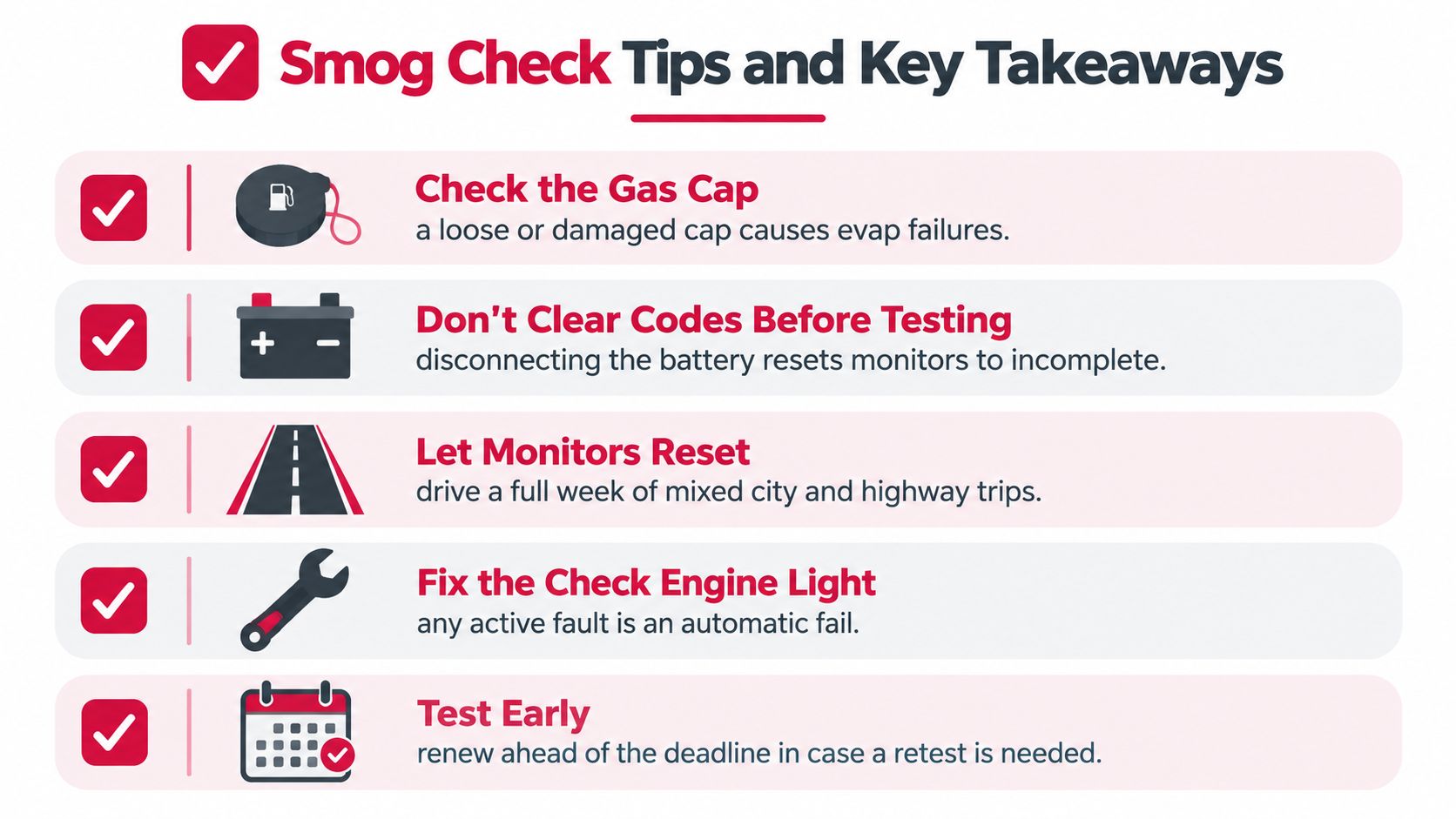
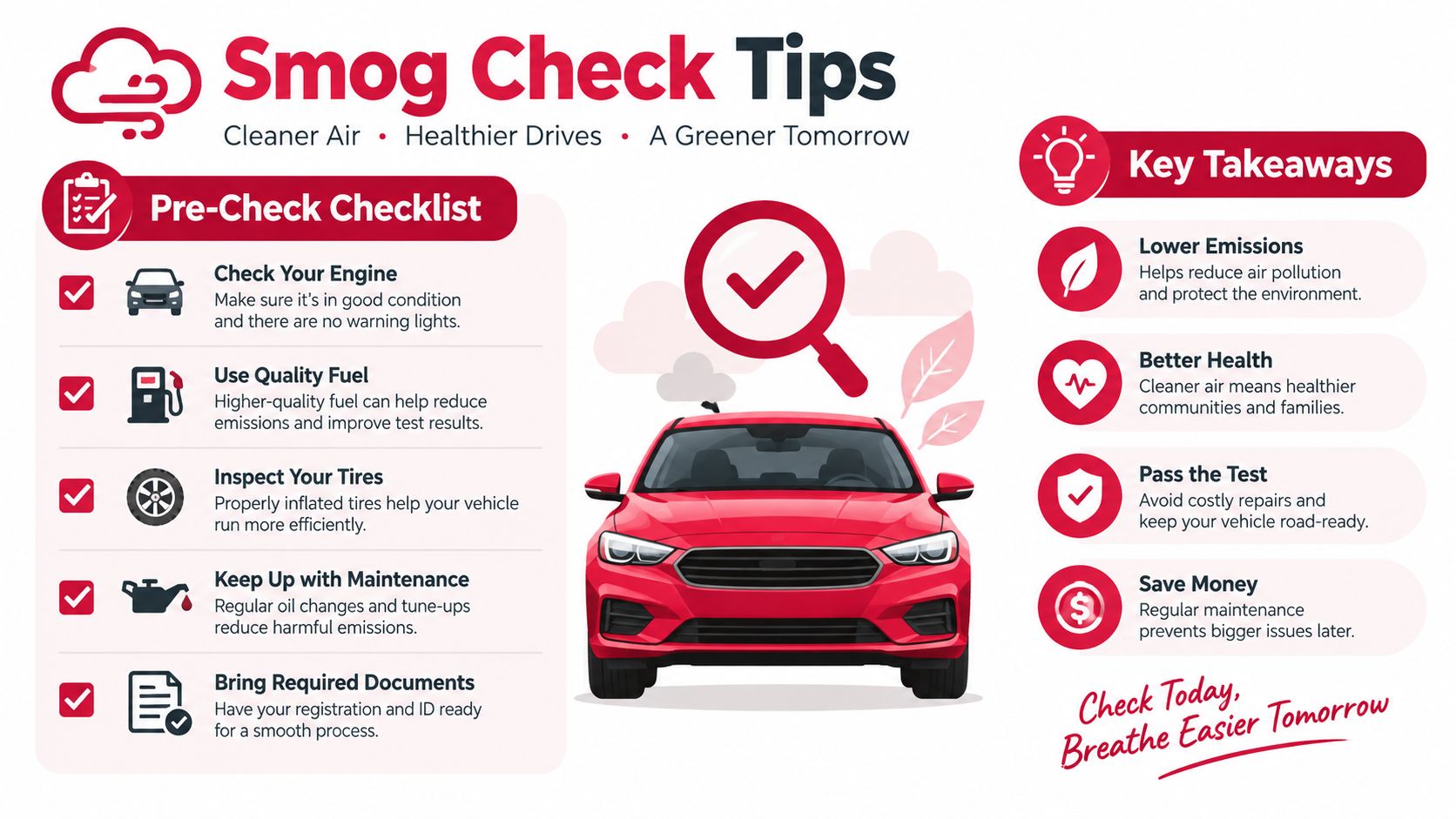
Use this short checklist before your next inspection:
- Check the gas cap: Make sure it seals correctly, since a loose cap can contribute to an evaporative-system failure.
- Don't clear codes before testing: Clearing codes or disconnecting the battery can leave readiness monitors incomplete.
- Let the monitors finish: If the report identifies a readiness issue without an active fault, drive normally for about a week before checking again.
- Watch the check-engine light: A lit malfunction indicator lamp is a direct warning that the vehicle may fail.
- Read the reason, not just the verdict: The failure category tells you whether to investigate timing, repairs, measurements, or equipment.
Keep this reading order: Verdict, failure category, readiness status, OBD fault information, then visual, functional, and emission findings.
Most confusion disappears once each line answers one question. The verdict tells you what happened, readiness tells you whether the computer finished checking, fault information points to active conditions, and the failure category tells you what to do next.
If you're in Antioch or East Contra Costa County, Fire House Smog provides STAR-certified test-only inspections, California DMV registration services with on-site tag issuance, and retesting under its current coupon and site policy. Bring your Vehicle Inspection Report, and contact the station before visiting to confirm current hours and retest terms.