
You're staring at a plate sticker that looks expired, a renewal notice you half remember paying, and a DMV record that still shows the old date. That's the moment many drivers check the status of registration of vehicle records, and it's also where they get stuck. A payment receipt, a current record, and a sticker in hand are three different things. You need to know which one you've got before you drive.
Table of Contents
- Choosing a Channel and Checking by Phone or Counter
- Online Status Steps and Fixing Record Problems
- Reading Your Status and the Expiration Window
- Processing Times and Driving While Pending
- Trucks, Trailers, Motorcycles and Special Cases
- Confirm Your Renewal Before the Deadline
Choosing a Channel and Checking by Phone or Counter
Start with three questions. Do you have your registration card in hand? Do you have a MyDMV account? Do you need just an answer, or do you need a sticker today? Those answers pick your channel faster than any menu does.
If you've got the card, you already have the fastest offline check. The card and the renewal notice show the expiration date without a login or a phone queue. Just don't treat that date as final if you've moved recently or already paid, because paper can't update itself. A notice mailed to an old address, or a card printed before your last payment, can both mislead you.
Matching the Channel to the Problem
An online DMV account works at any hour and shows your expiration date plus renewal eligibility. You'll need your login, your plate number, and the last five VIN digits. I would start there for a routine check, because if the record loads cleanly, you're done in minutes.
Call DMV when the website returns no record. Have your plate number, full VIN, driver license number, and owner name ready before you dial. Ask the agent to read back the expiration date, any hold status, and the transaction number if a payment exists. Write those down. A verbal "you're fine" helps nobody if the record later says otherwise.
| Method | Information needed | Best for | What you get back |
|---|---|---|---|
| Online DMV account (MyDMV) | Account login, plate number, last five VIN digits | Checking expiration date and renewal eligibility at any hour | Current registration record and renewal options |
| Renewal notice or registration card | Printed notice or card | Quick look at the expiration date | Expiration date and renewal instructions, which may be outdated |
| Phone call to DMV | Plate number, full VIN, driver license number, owner name | Confirming a record when the website shows nothing | Staff read-back of the registration record |
| DMV field office | Registration card, photo ID, plate and VIN, payment method | Holds, fee or record problems that need staff review | Printed record and same-day sticker when the transaction qualifies |
| Licensed partner station | Renewal notice or card, plate, VIN, smog certificate if required | Renewal and tag issuance in one visit | Transaction receipt and on-site sticker when the renewal completes |
When the Counter Beats the Screen
A DMV field office handles the cases the website can't. Bring your registration card, photo ID, plate and VIN information, and a payment method. Expect a longer review when fees or records conflict, because staff have to reconcile the account by hand rather than let the system reject it again.
One local option that combines both errands is a licensed partner. Fire House Smog at 2900 Lone Tree Way, Antioch, CA 94509, phone 925-754-1600, is a STAR-certified test-only smog station and licensed DMV registration provider, so smog testing and on-site renewal with sticker printing can happen in one trip through its DMV registration services in California. Hours run Monday to Saturday 9:30 AM to 5:00 PM and Sunday 12:00 PM to 4:00 PM, with limited weekend services. Call ahead, especially for RVs.
Practical rule: Start online, move to the phone if no record appears, and visit in person only when a hold or a same-day sticker makes the trip necessary.
Online Status Steps and Fixing Record Problems
The online check fails most often at the data entry step, not the payment step. Work through the record in order and you'll see why.
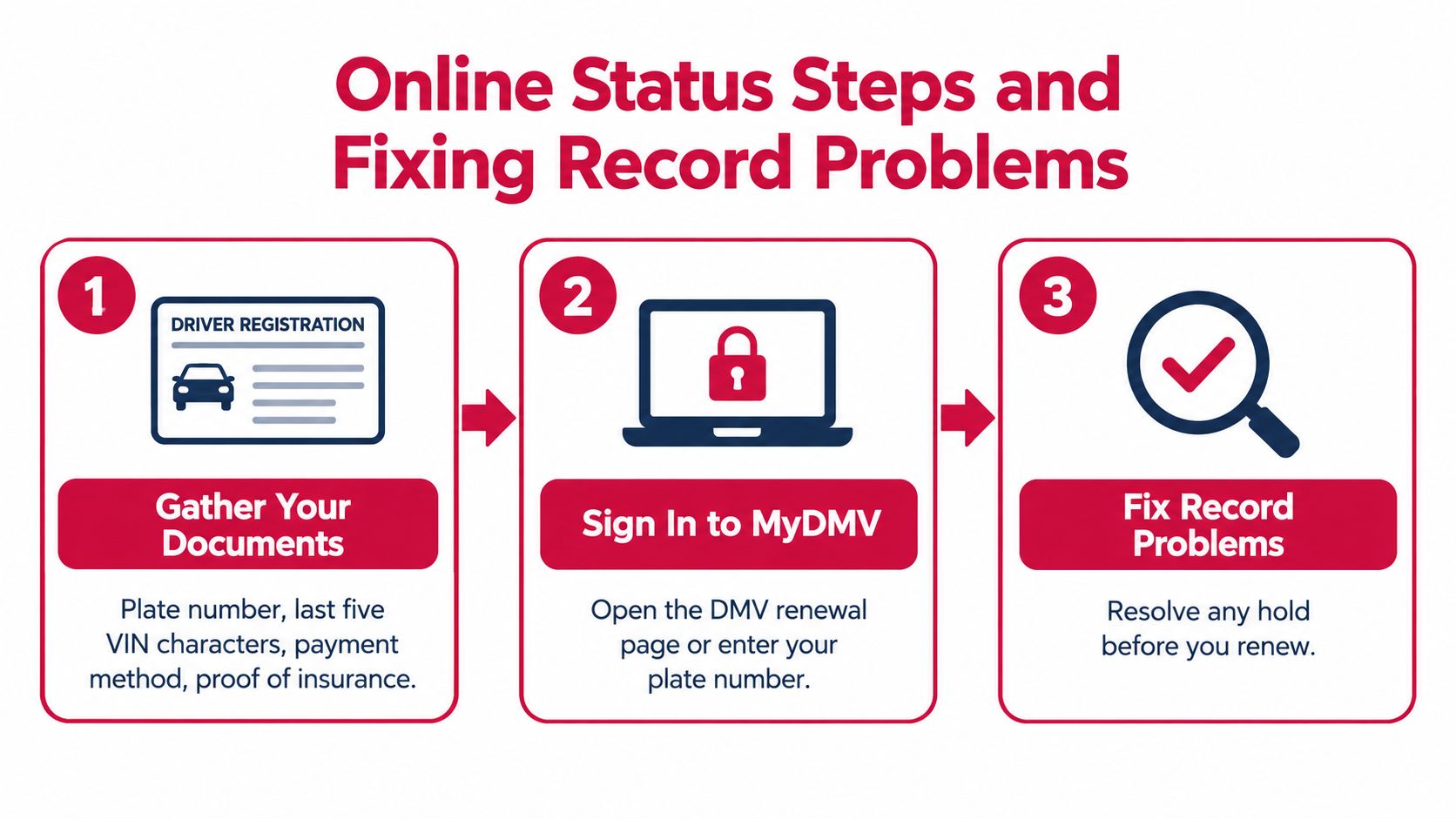
- Gather the identifiers first. Pull the plate number, last five VIN characters, payment method, and proof of insurance from the registration card or title, because the California DMV vehicle registration renewal page states that online renewal requires the plate number, last five VIN digits, payment method, and insurance eligibility. Read the VIN off the vehicle or title, not from memory.
- Load the record. Open the DMV renewal page and sign in to MyDMV, or enter the plate and last five VIN digits to pull up the vehicle.
- Compare dates. Match the expiration date on screen against your card. A mismatch usually points to an address or record problem rather than a system glitch.
- Check every hold. Confirm an electronically reported smog certificate, active insurance, no unpaid parking citations, and no Planned Nonoperation (PNO) filing blocking the account.
- Clear holds before paying. A renewal can't finish while a hold stands, so paying first just creates a receipt with nowhere to go.
- Pay and save the confirmation number. That number is your only useful reference if the record doesn't update.
- Reload the record. Confirm the new expiration date appears before you start watching the mail for your card and sticker.
VIN Errors That Return Nothing
A VIN can't contain the letters I, O, or Q. If you typed one of those, you misread a character, most likely a 1 or a 0. One incomplete or mistyped character returns no record even when the plate is correct, so recheck the characters on the card before you call DMV and sit in a queue for a typo.
Paid but Still Showing the Old Date
This is the most common complaint at the counter. The owner paid, got a confirmation, and the status of registration of vehicle records still shows expired. Almost always, an open hold stopped the renewal from completing. Payment alone does not complete renewal when smog or other requirements are missing. The money moves and the record stays frozen, which is why the confirmation email matters more than the charge on your statement. Clear the hold, then reload the record with your confirmation number in hand.
Address timing causes a quieter version of the same problem. File an address change before you renew online, or the notice keeps showing the old address and your card ships to the wrong place. A card or sticker that never arrives usually traces back to that stale mailing address. Wait out the current mailing estimate, then contact DMV rather than paying a second time.
| Symptom | Likely cause | Fix |
|---|---|---|
| No record found online | Mistyped VIN or plate | Recheck the last five VIN characters on the card, then call DMV |
| Paid renewal still shows expired | Smog, insurance or citation hold still open | Clear the hold and reload the record with the confirmation number |
| Renewal notice shows an old address | Address change not filed before renewing online | File the address change, then renew |
| Fee charged to the wrong vehicle | Plate and VIN belonged to another vehicle | Bring the incorrect registration card and a written explanation to DMV |
| Card or sticker never arrives | Old mailing address or mailing delay | Wait the current estimate, then contact DMV |
The wrong-vehicle fee is the one mistake that can't be fixed online. DMV needs the incorrect registration card and your written explanation in person. Comparing the plate and owner name against the record before you submit payment costs ten seconds. Skipping it costs a field office visit.
Reading Your Status and the Expiration Window
Everything hangs off one number, the expiration date. Read that date first, then figure out which window you're sitting in.
The California DMV registration renewals procedures state that renewal or PNO must generally be filed on or before the registration expiration date to avoid a late penalty, while a late renewal may remain possible within 60 days after the owner is notified through the renewal notice, subject to penalties and applicable requirements. That gives you three distinct positions, and each one calls for a different move.
| Status or situation | What it means | What to do next |
|---|---|---|
| Expiration date in the future | Registration active and valid for road use | Set a reminder about 30 days before the date |
| Expired, within 60 days of the renewal notice | Late renewal still possible with penalties | Renew now and pay the penalty shown in the record |
| Expired, beyond the late-renewal window | Standard online renewal may no longer be available | Call DMV or visit a field office to confirm options |
| Planned Nonoperation (PNO) filed | Vehicle stored and not for road use | Pay full fees and penalties before returning it to operation |
| Renewal paid but record still shows old date | Renewal has not completed or is waiting on a hold | Check holds first, then contact DMV with the confirmation number |
Sorting Your Situation in Order
Triage works best in a fixed sequence. Identify the exact expiration date. Decide whether the vehicle is being operated or stored. Check for smog, insurance, citation, and fee holds. Calculate the penalties the record shows. Then verify the transaction produced a valid registration record rather than merely a receipt.
PNO suits a vehicle you won't operate or park anywhere it could pick up a citation. The trap catches people on the way back. Returning that vehicle to operation requires payment of full registration fees and penalties for that year, so a stored project car isn't free to revive the day you finish it. Budget for that before you turn the key.
Write down three dates before you call anyone, the expiration date, the notice date, and the day the 60-day window closes. That's the information every agent will ask for first.
A lapse beyond the late window usually means the standard online path closes. Don't keep retrying the same screen hoping for a different result. Call DMV or visit a field office and confirm what options remain open for that record.
Processing Times and Driving While Pending
Three separate clocks run after you renew, and confusing them causes most of the anxiety. The payment confirmation is instant. The record update follows. The physical card and sticker trail behind both.
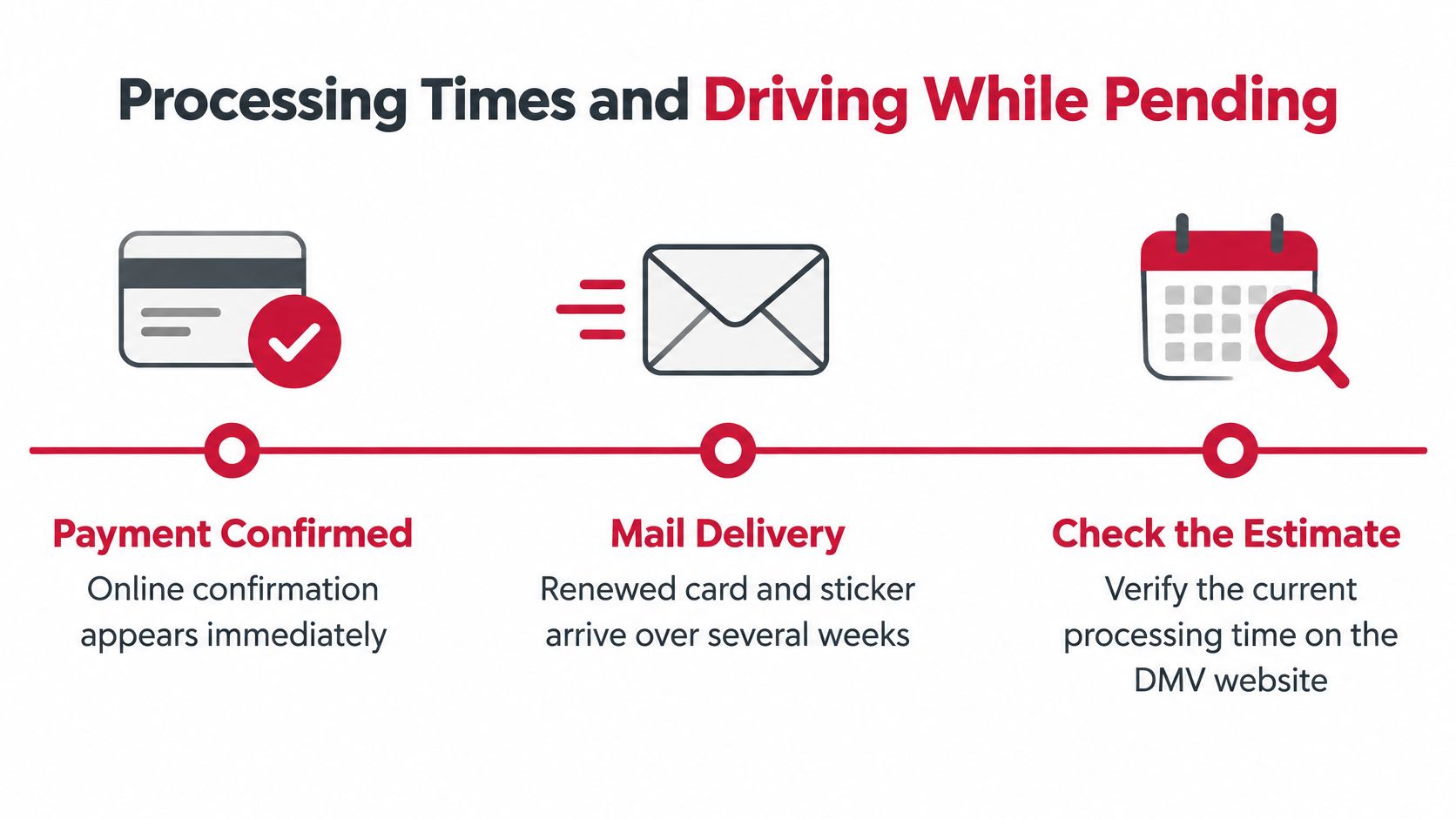
An online payment shows its confirmation immediately, but the renewed card and sticker arrive by mail over several weeks. Check the current estimate on the DMV site rather than assuming a date, because mailing timelines shift. An in-person renewal at a field office or licensed partner sidesteps the wait and can hand you a sticker at the visit when the transaction completes. If your plates are already expired and you drive daily, that difference matters more than the convenience of renewing from your couch.
Watch this walkthrough of the renewal flow before you decide which route fits your deadline.
The Failed Smog Exception
Failing a smog test strands people in a legal gray area they shouldn't guess their way through. The California DMV Temporary Operating Permits page explains that for a biennial smog failure, a permit requires the failed inspection report, proof of insurance, and a $50 nonrefundable fee, and is generally valid for 60 days. Only one biennial-smog TOP may be issued to the same vehicle within a two-year period, so it isn't an extension you can lean on cycle after cycle.
Original or transfer inspections follow different rules, with a separate permit applying in qualifying cases. Don't assume the biennial terms transfer over. And note what a TOP is not. It isn't a completed registration, and it isn't the same as a one-day vehicle-moving permit. Reading up on how a California DMV registration renewal extension works keeps you from treating any of these as interchangeable.
| Transaction | Expected timing | What to verify |
|---|---|---|
| Online renewal payment | Confirmation appears immediately | Reload record to see the new expiration date |
| Renewed card and sticker by mail | Several weeks; check the DMV's current estimate | Address on file is correct |
| In-person renewal at a field office or licensed partner | Sticker issued at the visit when the transaction completes | Receipt shows completed renewal, not only payment |
| Temporary Operating Permit after biennial smog failure | Generally valid for 60 days; $50 nonrefundable fee | Failed inspection report, proof of insurance, one per two years |
| Planned Nonoperation return to road use | Full fees and penalties for that year due first | Record shows active status before driving |
Paying your fees alone doesn't create permission to drive. That's the single most expensive misunderstanding in this whole process. Without a completed registration or a valid permit in hand, the car stays parked on private ground.
Trucks, Trailers, Motorcycles and Special Cases
Registration status doesn't stop at passenger cars. California's DMV registration report groups fee-paid vehicles by class, counting automobiles, trucks, trailers, and motorcycles as separate categories. Those classes get their own lines because each can carry different fee and document requirements behind the same renewal date.
You'll check a truck, trailer, or motorcycle with the same plate and VIN steps you'd use for a sedan. What's different is what sits behind the date. Confirm the requirements for that vehicle class before you pay, not after the system rejects the transaction.
Fee-exempt registrations follow the same logic. The California DMV estimated fee-paid vehicle registration report counted 688,450 of them for 2024, and they can display differently from fee-paid records. If a record looks unfamiliar, read the record type alongside the date before assuming something's wrong. Owners juggling several work vehicles at once can handle smog testing, renewals, transfers, and tag issuance through business vehicle registration services instead of booking separate visits per unit.
Motorhomes and RVs need one extra step. Call the partner station ahead to confirm the vehicle fits the site and equipment before you drive it in. Showing up in a rig the bay can't accommodate wastes the trip entirely.
Stored vehicles under PNO follow the same filing discipline whatever their class. A trailer in a side yard and a truck in a warehouse both need their status settled before either one rolls back onto public roads.
Confirm Your Renewal Before the Deadline
Run the decision in this order and it takes about a minute. If the record shows an active date with no holds, set a reminder and stop. You are done.
If it shows a hold, resolve that hold first. It is the only thing standing between you and a finished renewal, and paying around it accomplishes nothing. If the record shows a lapse inside the late window, renew now and pay the penalty rather than waiting for the notice to change. Waiting only shrinks the window.
When the sticker has to be on the plate today, or your smog certificate is missing, plan one trip instead of two. The Antioch station at 2900 Lone Tree Way can test and handle DMV renewal with tag issuance on site, with hours Monday to Saturday from 9:30 AM to 5:00 PM and Sunday 12:00 PM to 4:00 PM. Call 925-754-1600 to confirm your vehicle and documents before you drive over.
Before you leave any counter or close any browser tab, run the final verification. A receipt proves that money moved. Reload the record and look at the new expiration date with your own eyes. That date is your registration status, and it is the number an officer's system will show too.
Confirm the record updated and keep the confirmation number with the vehicle paperwork, so the next status check is a quick formality instead of a rescue mission.
If your record shows a hold, a missing smog certificate, or a sticker you need today, Fire House Smog in Antioch handles STAR-certified test-only smog checks and licensed DMV renewals with on-site tag issuance in a single visit. Call ahead to confirm your documents, drive in during posted hours, and leave with your renewal completed and verified rather than pending.